

Spin in Pool: Draw, Follow and English
Spin lets you control where the cue ball goes after the hit. This guide shows how to set it on a computer and on a phone, and what each kind of spin does on the table.
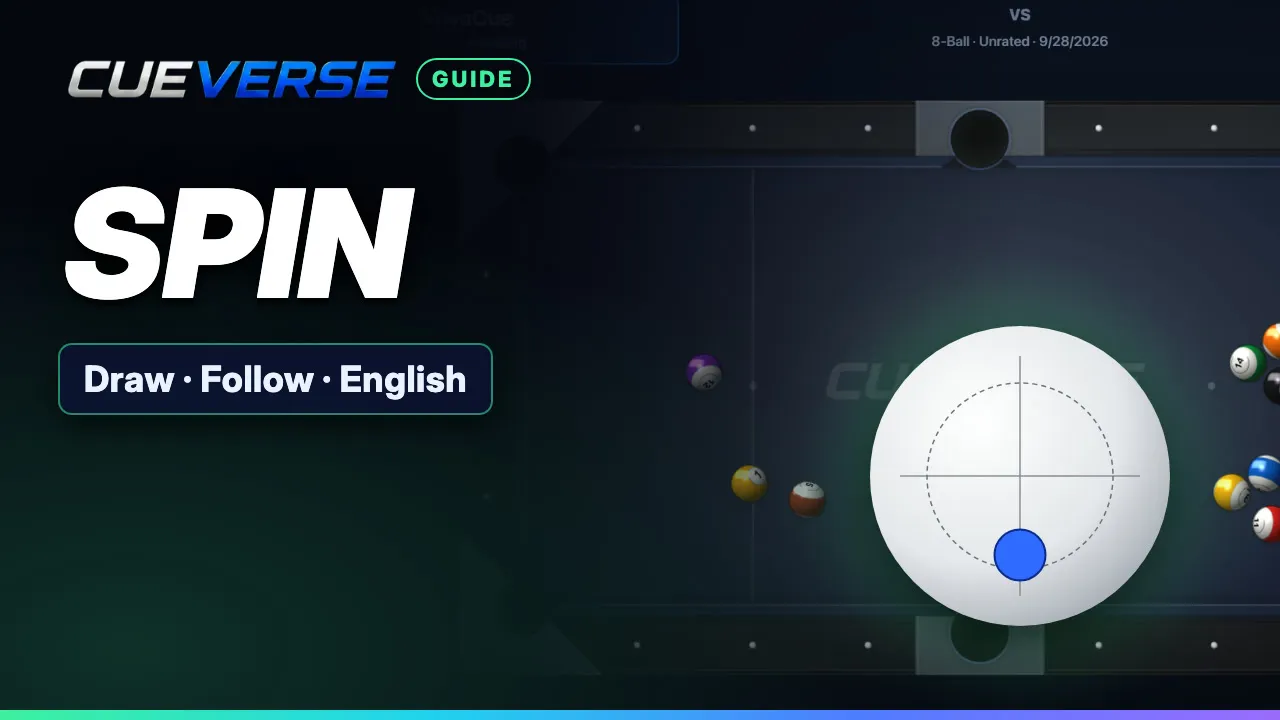
In this video
- 0:00 What spin does and how to set it
- 0:22 Draw and follow
- 0:38 English (side spin)
- 0:49 Resetting, clearing and recap
Draw pulls the cue ball back, follow rolls it forward, and side spin (English) changes how it comes off a cushion. Each one is shown with the cue ball's path drawn on. Spin resets after every shot, and you can clear it with a right-click, the C key, or Center on a phone.
Step by step
What spin does and how to set it
Spin lets you control where the cue ball goes after the hit. On a computer, drag the dot on the Spin ball. The dot is where your cue will strike the white ball. Just off center gives a little spin. Further out gives more. On a phone, tap the Spin ball, drag the dot, then tap Done.
Draw and follow
Put the dot low for back spin, called draw. The cue ball hits, then comes back. Use it to bring the cue ball back for your next shot. Put it high for top spin, called follow. The cue ball keeps rolling forward.
English (side spin)
Left or right is side spin, called English. It changes the angle the cue ball takes off a cushion. With no spin, this shot would scratch in the side pocket. Side spin sends it clear.
Resetting, clearing and recap
Spin goes back to the center after every shot. To clear it yourself, right-click the Spin ball, or press the C key. On a phone, tap Center. So: dot low pulls the cue ball back, dot high rolls it on, and the sides change the bounce. Try it free at cueverse.gg.
More guides
 1:11
Practice: Play Now, the Robot and Solo Tables
Want a game right now, or somewhere to practice on your own?
 3:12
Pool Challenges: Puzzles Made by Players
Challenges are pool puzzles made by the CueVerse community: a board, a goal, and a few shots to reach it.
 1:04
Replays: Watch, Share and Export Your Shots
Every game you finish against another player is saved as a replay, playing back each shot exactly as it happened.