

Table Layouts: Put the Chat Where You Want It
On a computer, you can lay out the CueVerse pool table window your way.
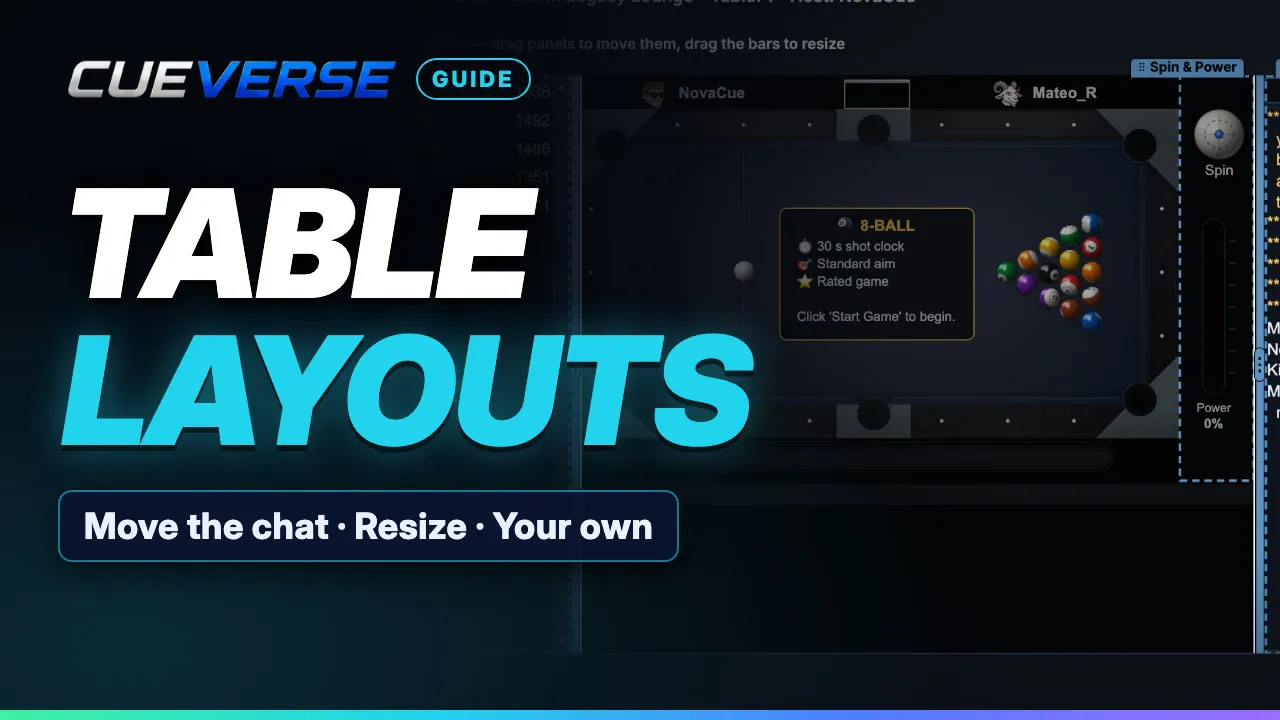
In this video
At your table, open Settings and, on the Look tab under View, press Change next to Table layout. Pick Classic (the original window), Chat on the right (the chat and the players beside the table, for a wider window) or Big chat below (a taller chat under the table). Make the chat bigger, pick a smaller or larger chat text, or hide the chat or the player list.
Press Customize for a layout of your own: drag the chat and the player list by their tabs to the right of the table, below it or to its left, drag the bars between them to resize, and move the buttons, or Spin and Power, to the other side. Press Done and it's saved as My layout on this computer, and every table you open follows it.
Changed your mind? Right-click the table for Undo layout change (or press Ctrl+Z, Cmd+Z on a Mac), or pick Classic layout to go back any time.
Step by step
Choosing a layout
On a computer, you can set up the pool table window your way. At your table, open Settings. Under Table layout, press Change. Chat on the right puts the chat and the players beside the table. Big chat below gives you a taller chat, under the table. Make the chat bigger. Pick a larger text size. Or hide the chat altogether.
Customize your own
Want something of your own? Press Customize. Drag the chat and the player list by their tabs: to the right, below, or to the left. Drag the bars between them to resize. The buttons can switch sides, and so can Spin and Power.
Saving and undoing
Press Done. It's saved as My layout, and all your tables follow it. Changed your mind? Right-click the table to undo, or go back to Classic any time. Make the table yours at cueverse.gg.
More guides
 1:12
Spin in Pool: Draw, Follow and English
Spin lets you control where the cue ball goes after the hit. This guide shows how to set it on a computer and on a…
 1:11
Practice: Play Now, the Robot and Solo Tables
Want a game right now, or somewhere to practice on your own?
 3:12
Pool Challenges: Puzzles Made by Players
Challenges are pool puzzles made by the CueVerse community: a board, a goal, and a few shots to reach it.